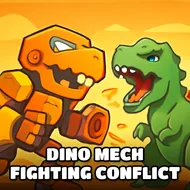
Dino Mech Fighting Conflict
Instructions:
Mouse click or tap to playDescription
Dino Mech Fighting Conflict Mobile & PC Control Guide
Key Combinations
- Tap or click on your chosen dino warrior to select it before a match starts.
- Click repeatedly on the enemy mech to land basic strikes.
- Tap on-screen prompts quickly during special move windows to trigger heavier attacks.
- Click through the menu screens to swap between T-Rex, Triceratops, and Stegosaurus builds.
- Use taps to confirm upgrades or parts once you've earned enough from a win.
There's something oddly satisfying about watching a stomping, gear-plated Triceratops square off against a rocket-armed T-Rex, and this one leans hard into that idea. It's a one-click, tap-friendly brawler at its core, so nobody's fumbling with complicated inputs mid-fight — you just point, click, and let the metal dinosaurs do the arguing. The roster pulls from familiar prehistoric names, but bolts on armor plating, mounted weapons, and chunky robot frames, so each fighter ends up feeling like a walking tank with teeth. Matches don't drag on forever either; rounds are short bursts of clicking through combos and watching health bars drop, which makes it an easy game to pick up for five minutes or lose an hour to without really noticing. The customization angle adds a little extra pull too — swapping parts between fights gives you a reason to keep grinding out wins instead of just replaying the same matchup on repeat.
Winning Strategies
- Learn each dino mech's attack timing before mashing clicks blindly — rhythm beats speed here.
- Prioritize upgrades that boost armor early on, since surviving longer usually matters more than raw damage.
- Watch for special attack windows and time your taps precisely instead of spamming them.
- Rotate between warriors occasionally; a Stegosaurus build can counter matchups a T-Rex struggles against.
- Save currency for parts that complement your favorite fighting style rather than grabbing whatever's cheapest.