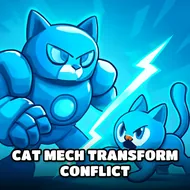
Cat Mech Transform Conflict
Instructions:
TAB show menu WASD to move MouseLeft to shoot MouseRight to Aim F to change to car and press again F to change to cat robot on control car use button mobile from the screen and for PC version use WASD on mobile you can use button from the screenDescription
Play Cat Mech Transform Conflict With No Download
No installer, no app store queue, just a browser tab and a city full of hostile robots waiting to get punched. Cat Mech Transform Conflict runs straight off WebGL, so you click in and you're already mid-brawl before you've had time to overthink it. The whole premise sounds a bit ridiculous on paper, a cat robot that also turns into a car, but once you're weaving through streets and switching forms on the fly, the logic clicks into place fast.
Why You Should Play
- Swapping between car mode and cat robot mode with a single tap of F changes your whole approach mid-fight, not just your look.
- Shooting, punching, and jumping give you a few different ways to clear out enemy waves instead of leaning on one repetitive move.
- The car form lets you cover ground quickly across the city, which matters when the map feels bigger than your patience.
- Works fine on Android, iPhone, and iPad through the browser, plus on desktop, so there's no fuss about which device you've got handy.
- The mobile on-screen buttons mirror the WASD and mouse controls closely enough that switching between phone and PC doesn't feel jarring.
Top Tips
- Use right-click to aim before you commit to a shot, especially when there's more than one enemy circling you.
- Don't forget the car form is for more than looking cool, it's your fastest way out of a bad crowd situation.
- Pop the menu with TAB early on just to get a feel for what's tracked, so you're not guessing mid-fight.
- Mix punching in with shooting when enemies close the distance, since standing still to aim can get you swarmed.
- On mobile, spend a minute getting used to the screen buttons before diving into a tougher pocket of enemies, the layout takes a few tries to feel natural.