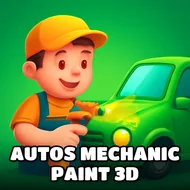
Auto Mechanic Experience
Instructions:
Use WASD or Arrows to walk Mouse - to choose necessary equipmentDescription
Auto Mechanic Experience Mobile & PC Control Guide
How To Play
Movement here relies on the WASD keys or arrow keys, letting you walk freely around a realistic workshop environment while your mouse handles the finer work of actually selecting tools and equipment. Approaching a vehicle and choosing the right piece of equipment for a specific job, whether that's an oil change or a fresh coat of paint, forms the core loop, and there's no rush forcing you through any particular repair in a set order.
What stands out here is just how much detail goes into a single repair job, with the workshop environment rendered in full three dimensions rather than a flat, simplified diagram. Watching a car gradually transform through a full service, from an oil change to a completely new paint job, gives a genuinely satisfying sense of hands-on progress that a lot of simpler simulators skip over entirely.
Score-Boosting Tactics
- Work through a vehicle's needed repairs in a logical order rather than jumping between unrelated tasks at random.
- Take time to explore every available tool in the workshop before starting your first full repair job.
- Pay close attention to on-screen prompts, since they typically indicate exactly which piece of equipment a specific task requires.
- Practice the painting and modification tools separately from mechanical repairs to get comfortable with each system individually.
Beyond the core repair loop, the game rewards players who genuinely enjoy methodical, detail-oriented tasks over fast-paced action, since there's no timer pressuring you through any specific job. Taking the time to actually explore a vehicle from every angle before starting a repair tends to reveal small details that a rushed approach would otherwise miss entirely, adding a surprising amount of depth to what looks like a simple mechanic simulator.