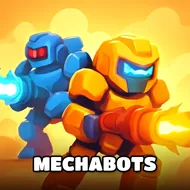
Mechabots
Instructions:
Select the different pieces and use the tools to assemble the robot Select - Left clickDescription
Play Mechabots 100% Free
No installer, no account wall, no waiting around for a progress bar to crawl to a hundred percent. You just open the tab and you're already staring at scattered robot parts, ready to click and build. That kind of instant access matters more than people admit, especially when you just want to kill fifteen minutes putting together a t-rex mech instead of digging through folders for a launcher you forgot you installed. Playing straight from the browser also means nothing gets left behind on your machine afterward, so there's zero cleanup and zero risk of some random file lingering in your downloads forever.
Controller & Keyboard Guide
- Left click to select any piece from the construction kit laid out in front of you.
- Left click again on the matching slot to snap that part onto your robot's frame.
- Cycle through the different t-rex-inspired chassis options before committing to one.
- Use the tools provided in the kit to fasten, adjust, or swap pieces mid-build.
- No keyboard shortcuts needed here, the mouse handles everything from start to finish.
Score-Boosting Tactics
- Look over every piece before grabbing one, since a rushed pick early on can mess with how later parts fit.
- Match armor plating and weapon mounts by size first, appearance second, fitting pieces snap together far more cleanly.
- Build in stages: frame first, then limbs, then the gun and sword attachments last, rather than jumping around randomly.
- Test how the finished mechabot looks from a couple angles before calling it done, small gaps are easy to miss at first glance.
- If a robot dragon variant is available, try building both dragon and t-rex versions to see which parts overlap and save time on your next attempt.
- Take it slow on the tool-handling steps, precision here beats speed almost every single time.