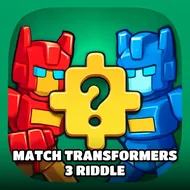
Match Transformers 3 Riddle
Instructions:
Use Mouse To Play and Follow introductionDescription
Match Transformers 3 Riddle Strategy Guide
Pro-Level Advice
- Study the darkened preview image for a few seconds before grabbing a single piece; knowing the shapes ahead of time saves you from guessing later.
- Work from the corners and edges first, the way you would with a physical jigsaw box dumped on a table.
- Group pieces by color and metal shading in your head, since a lot of the Autobot and Decepticon parts blend together at a glance.
- Don't rush through one picture just to move to the next; a sloppy finish makes the final image look off even if technically every slot is filled.
- Take a short break between pictures if your eyes start blurring the puzzle grid together, twelve rounds is more of a marathon than it sounds.
The setup here borrows its story straight from the cartoon universe everyone already knows: Autobots and Decepticons locked in their endless scrap, plans getting hatched and foiled on both sides. That backdrop is mostly flavor, though, because the actual objective is pure jigsaw work. You pick one of twelve pictures, get a dimmed version of it as your guide, and then start hunting for the matching pieces sitting off to the right side of the screen. Slot a piece in, and it locks into place if you found the correct spot for it. Miss, and it just waits for you to try somewhere else. Clear one picture and the game nudges you back to the selection screen to start the next transformer portrait, all the way until the full set of twelve is finished.
Controller & Keyboard Guide
- Click and drag pieces from the tray on the right using your mouse, that's the entire input scheme.
- Release over an open puzzle slot to test the fit, no need to line it up pixel-perfect.
- Follow the in-game introduction screen if you forget how a round starts, it walks you through picking a picture first.
- No keyboard shortcuts are involved, so keep both hands free and just let the mouse do the work.